
Reach people already in buying mode
Your banner sits inside portals where visitors register companies, apply for GST and ISO certifications and manage compliance.
Book ad space on OCS and BusinessLawyer portals, upload an image or HTML banner, pay online and go live after expert review. Then watch clicks, impressions and engagement in your own dashboard.
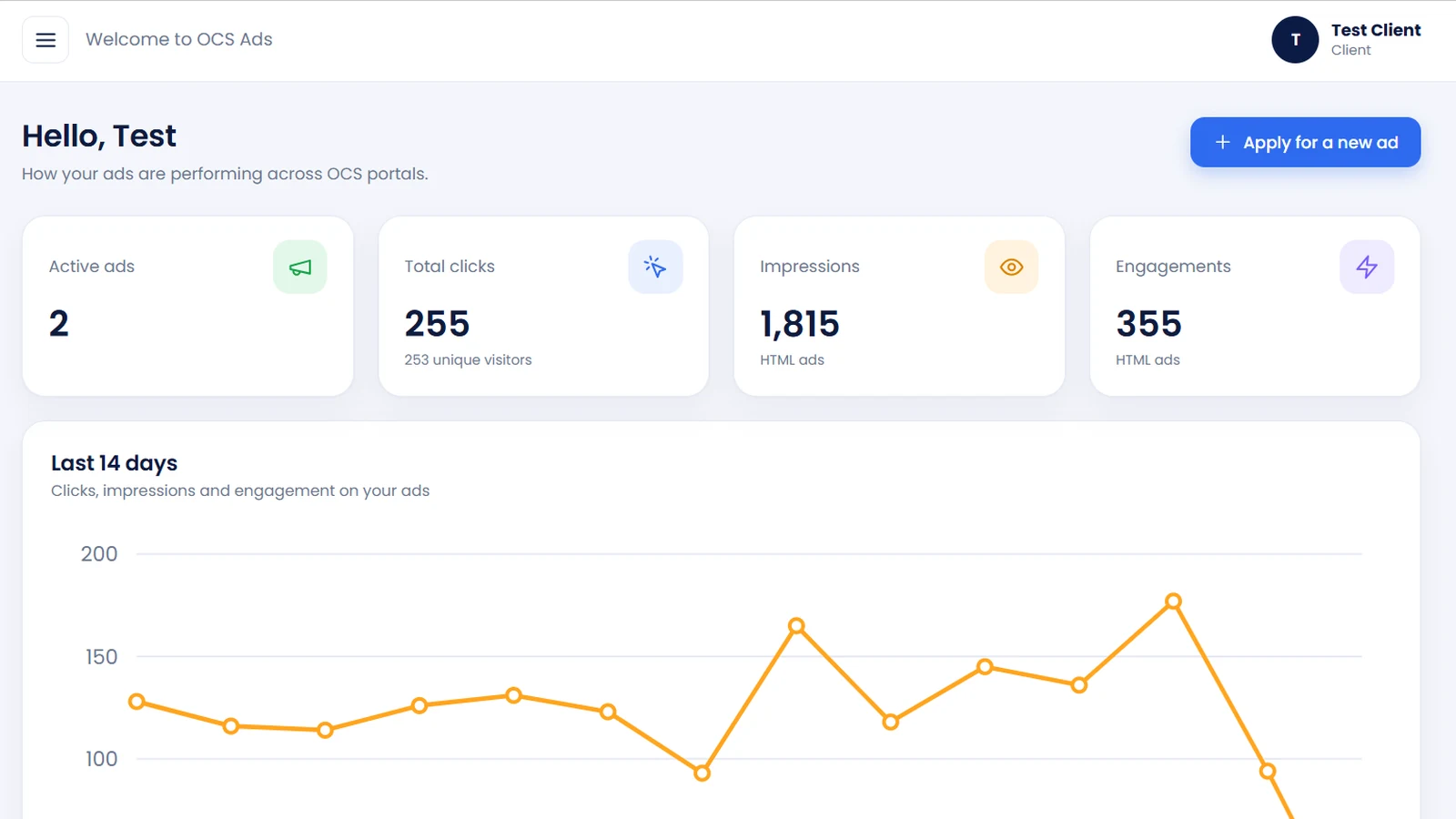
Screens shown use demo data.
A self-serve ads manager built for businesses that serve entrepreneurs, taxpayers and certification seekers, with a real team checking every ad before it goes live.
Your banner sits inside portals where visitors register companies, apply for GST and ISO certifications and manage compliance.
Choose a placement, add your title, landing page and banner, then pay online. No back-and-forth to get started.
Run a simple image banner or an HTML ad with buttons and engagement tracking, depending on the placement you pick.
Every banner is approved and every payment verified before your ad is placed and activated, so your brand sits in good company.
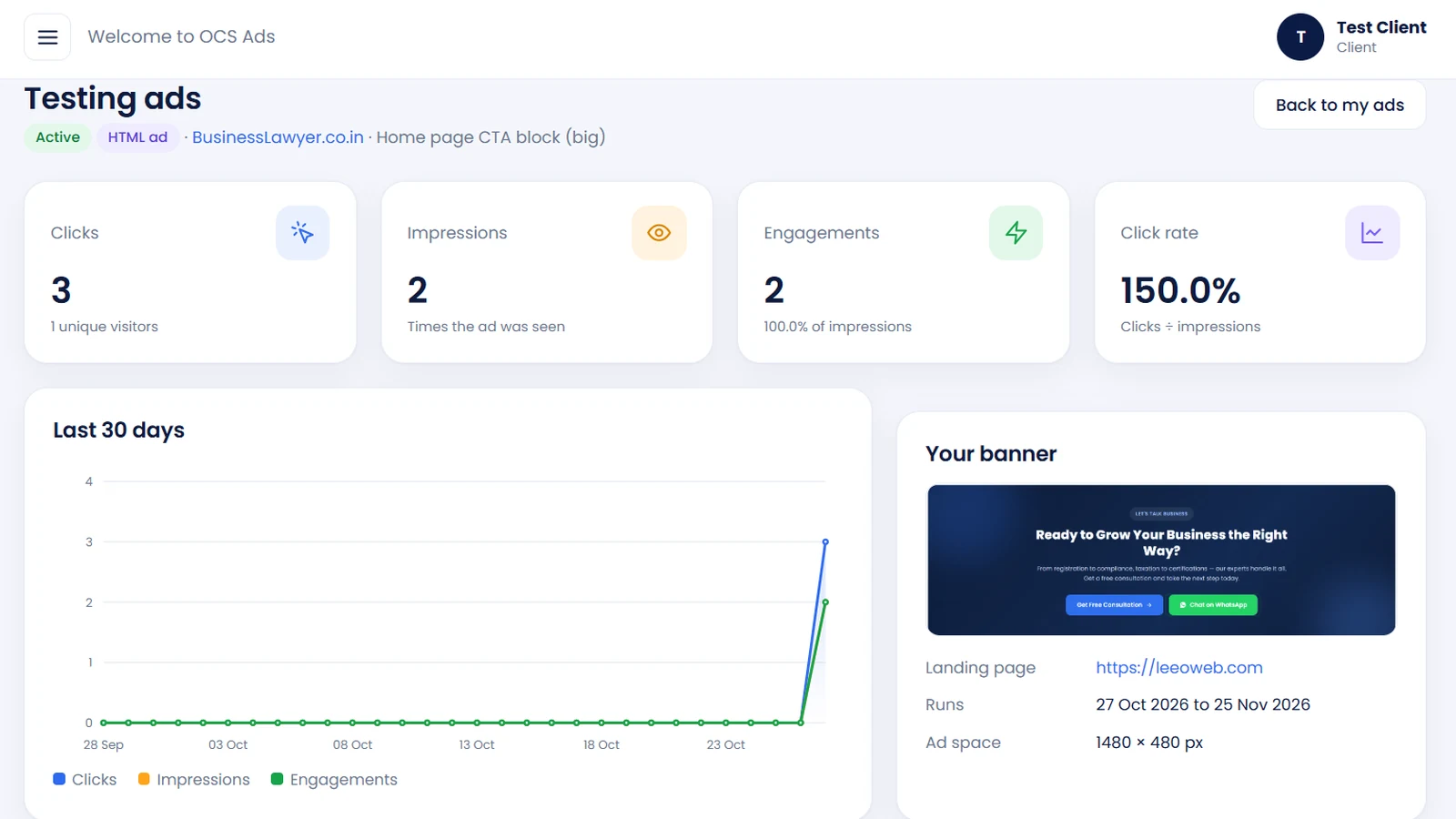
See clicks, unique visitors, impressions, engagements and click rate with a day-by-day trend for every ad.
Each ad space shows its size, duration and price in ₹ up front. Pick a 30-day plan and know exactly what you pay.
The same flow you see in OCS Ads Manager: choose, upload, pay, then track.
Browse placements by platform, filter image or HTML ads and compare size, duration and price.
Add an ad title, your landing page link and the banner. A live preview shows exactly how it fits.
Pay online. The Ads Expert team approves your creative, verifies payment, places the ad and activates it.
Open any ad to see clicks, impressions, engagements and click rate over the last 30 days.
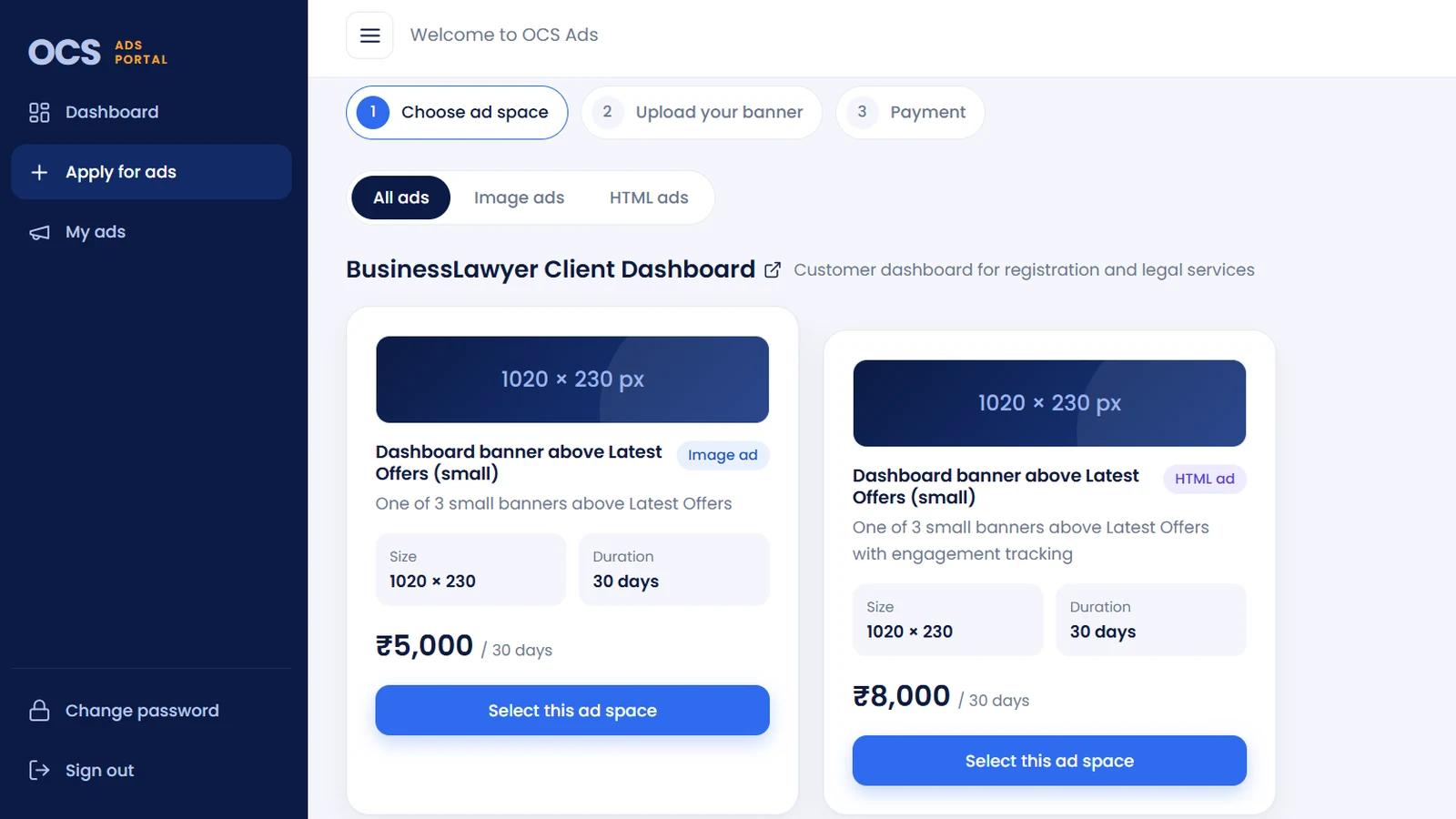
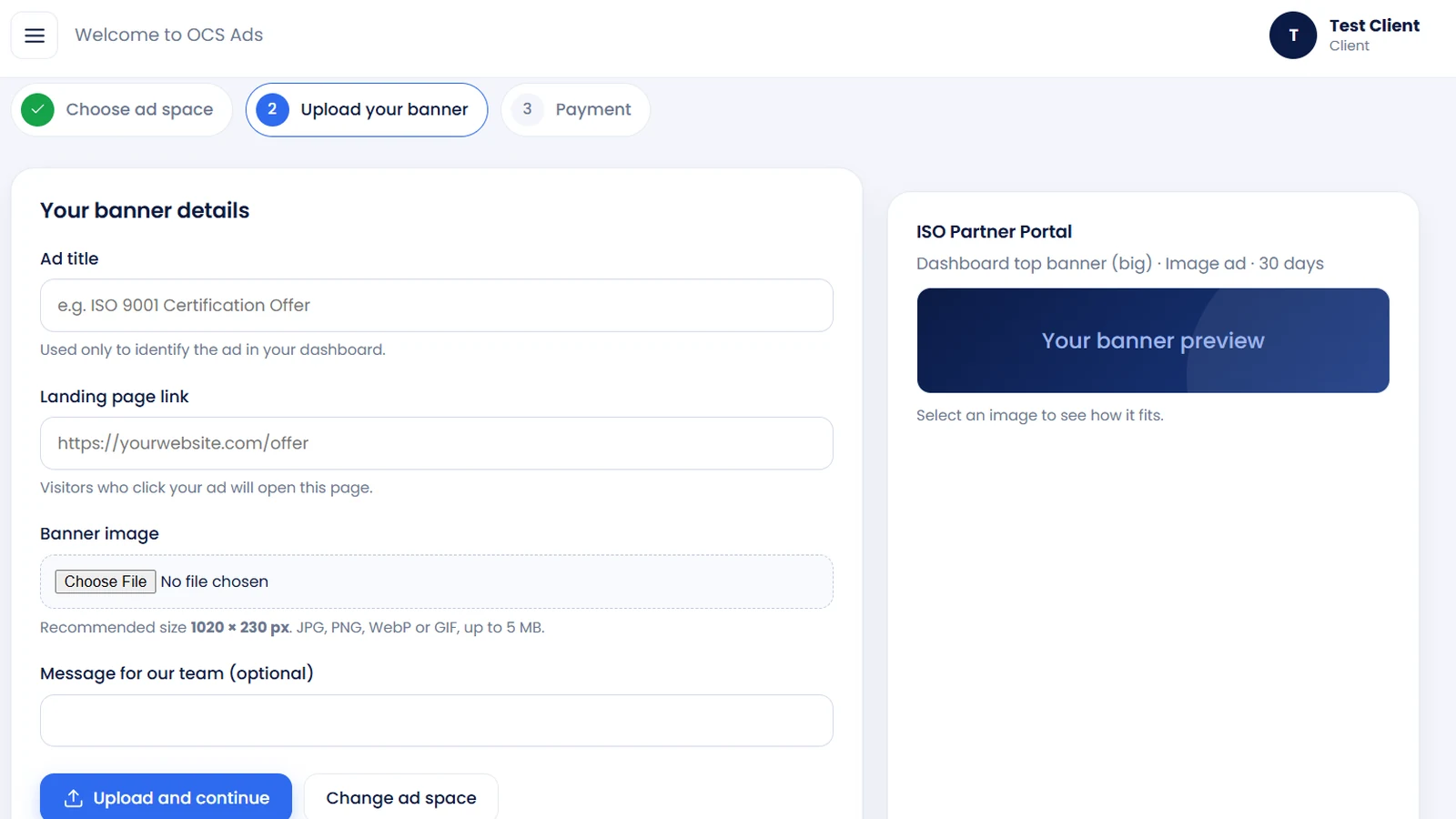
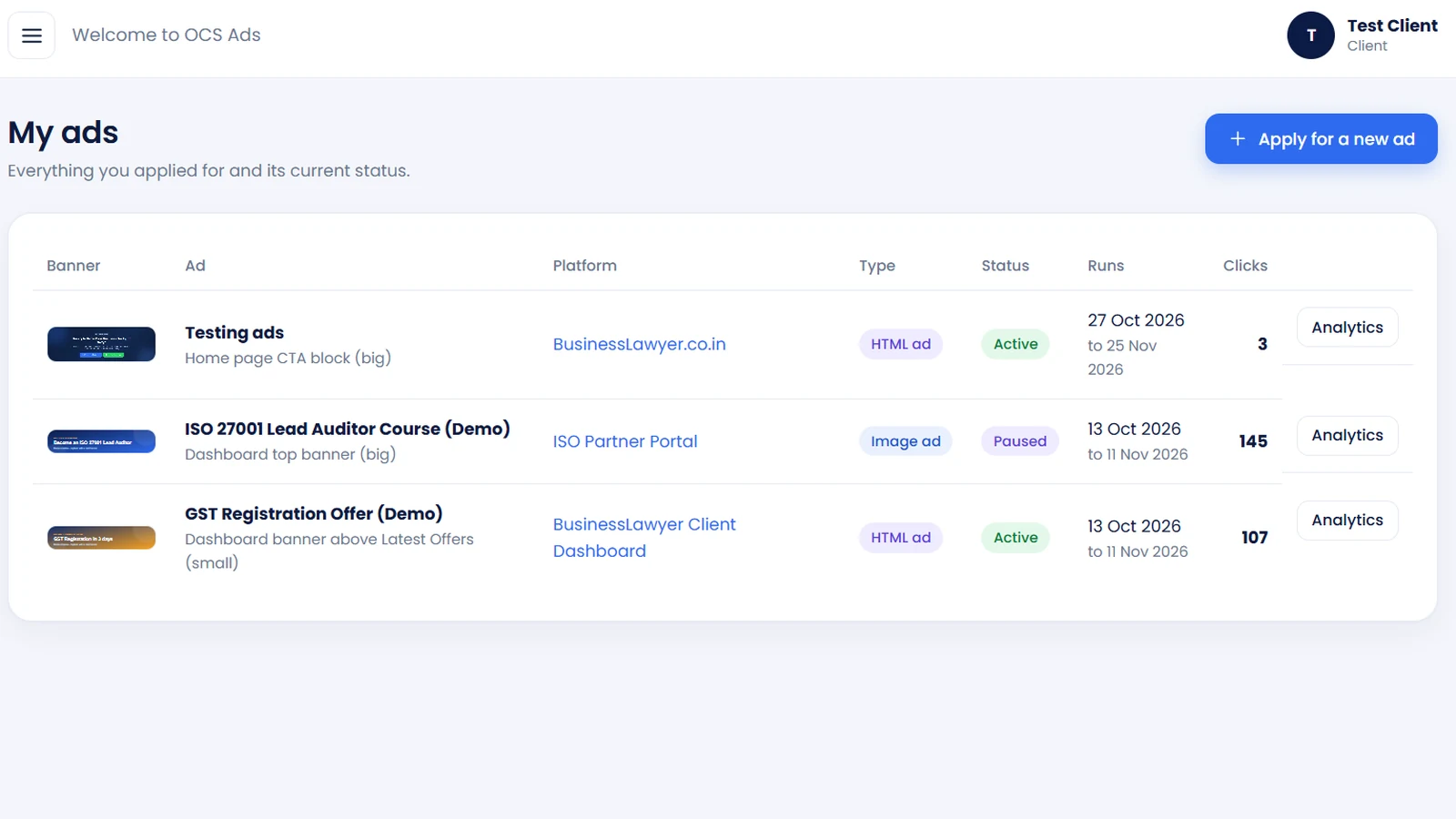
Start simple with an image or add interactivity and tracking with an HTML ad.
Upload a JPG, PNG, WebP or GIF up to 5 MB. The preview in Ads Manager shows how it fits the space before you pay.
 Sample · Image ad
Add buttons, gradients and calls to action. HTML ads report impressions and engagements on top of clicks.
From registration to compliance, taxation to certifications.
More ideas that work in a banner
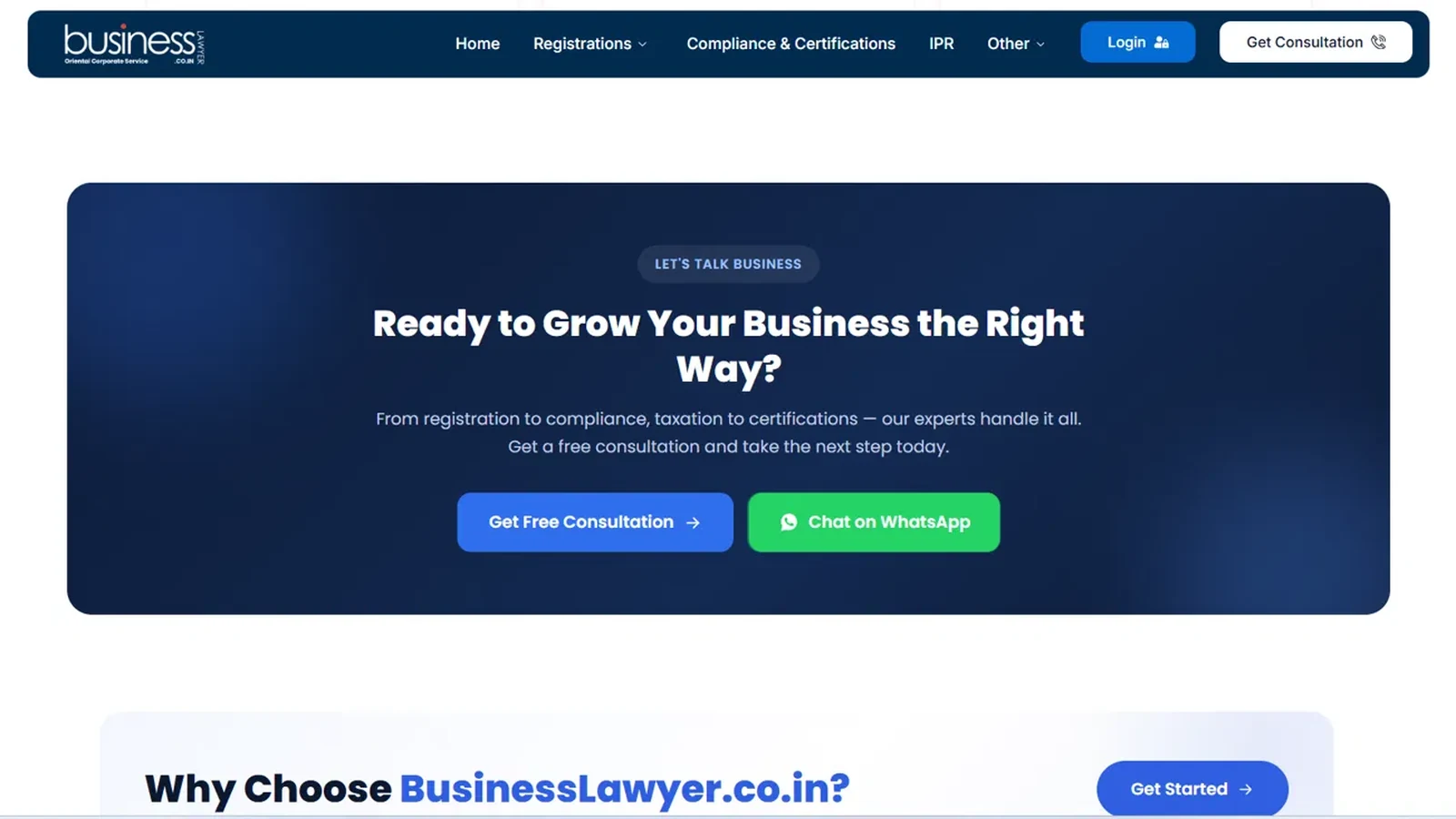
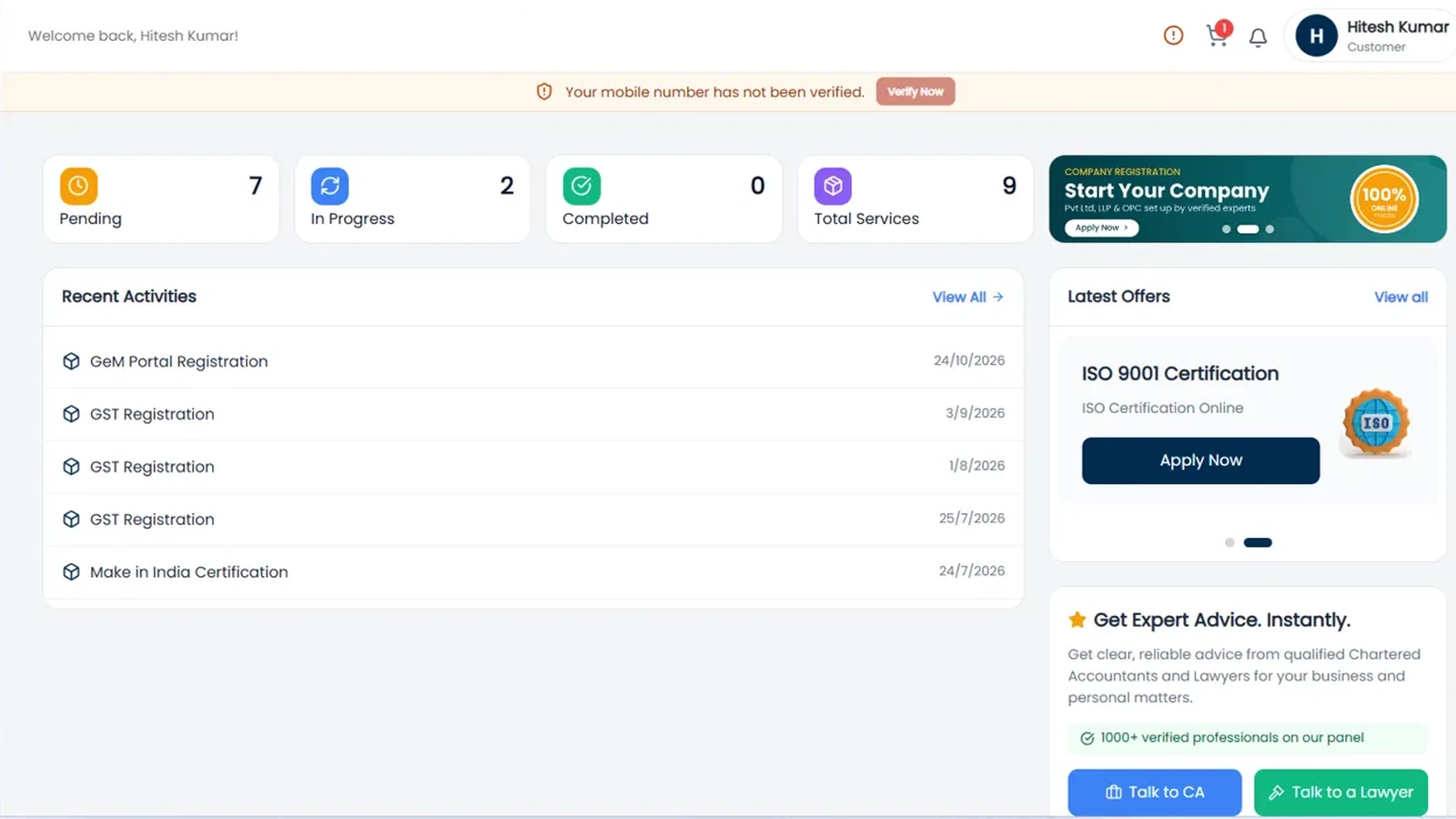
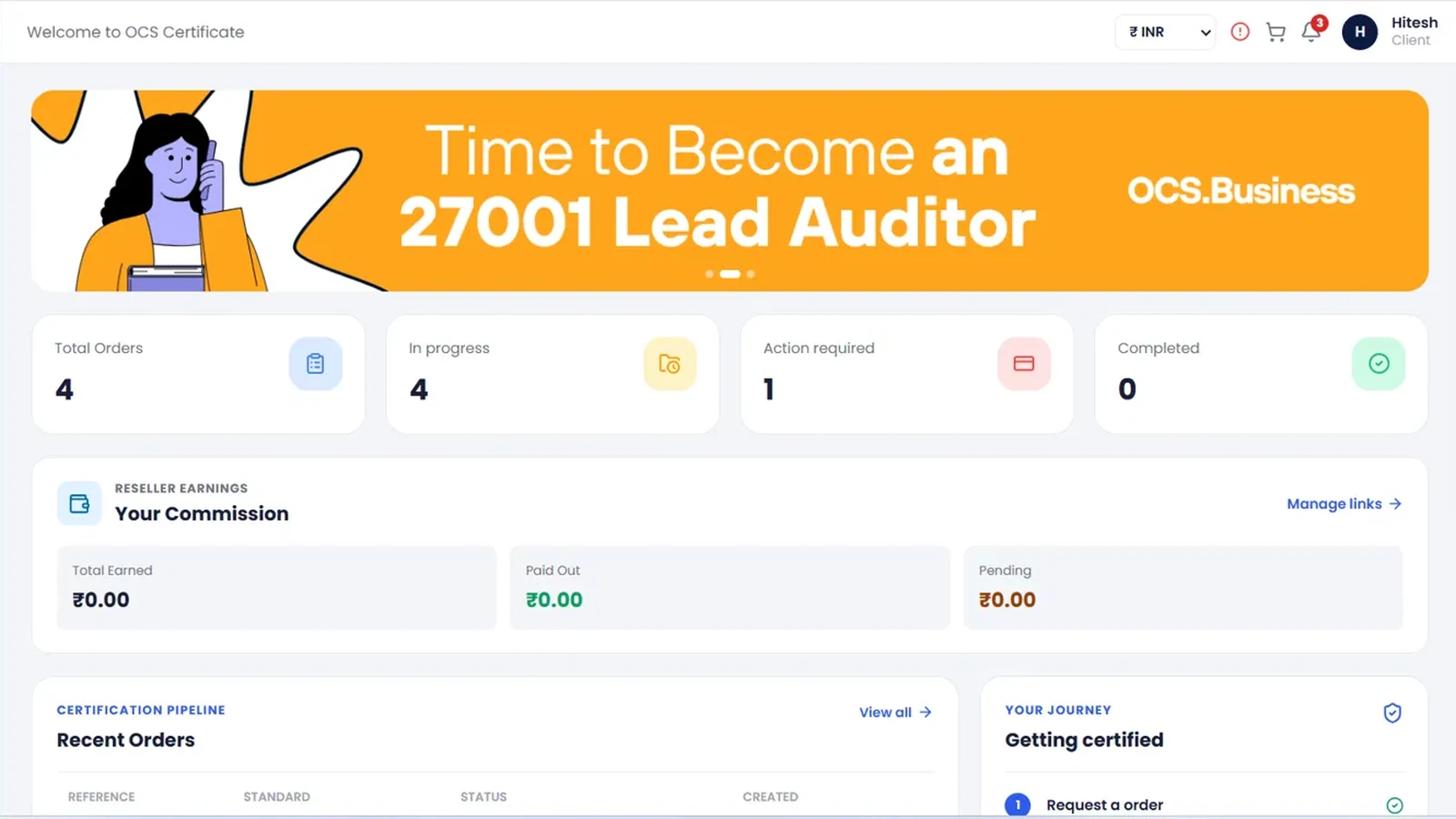
Pick the portal that matches your audience. The highlighted area shows the ad space on the real platform.
The public website for company registration, compliance, taxation and certifications. Your ad appears as the home page call-to-action block, seen by everyone who scrolls the page.
 Your ad here
The customer dashboard for registration and legal services. Your banner sits at the top of the dashboard, right where customers track their orders and browse the latest offers.
 Your ad here
The OCS certification partner portal used to manage orders, documents, billing and renewals. A big banner on the dashboard puts your offer in front of partners every time they log in.
 Your ad here
One dashboard for every ad you run: status, clicks, impressions, engagements and click rate.
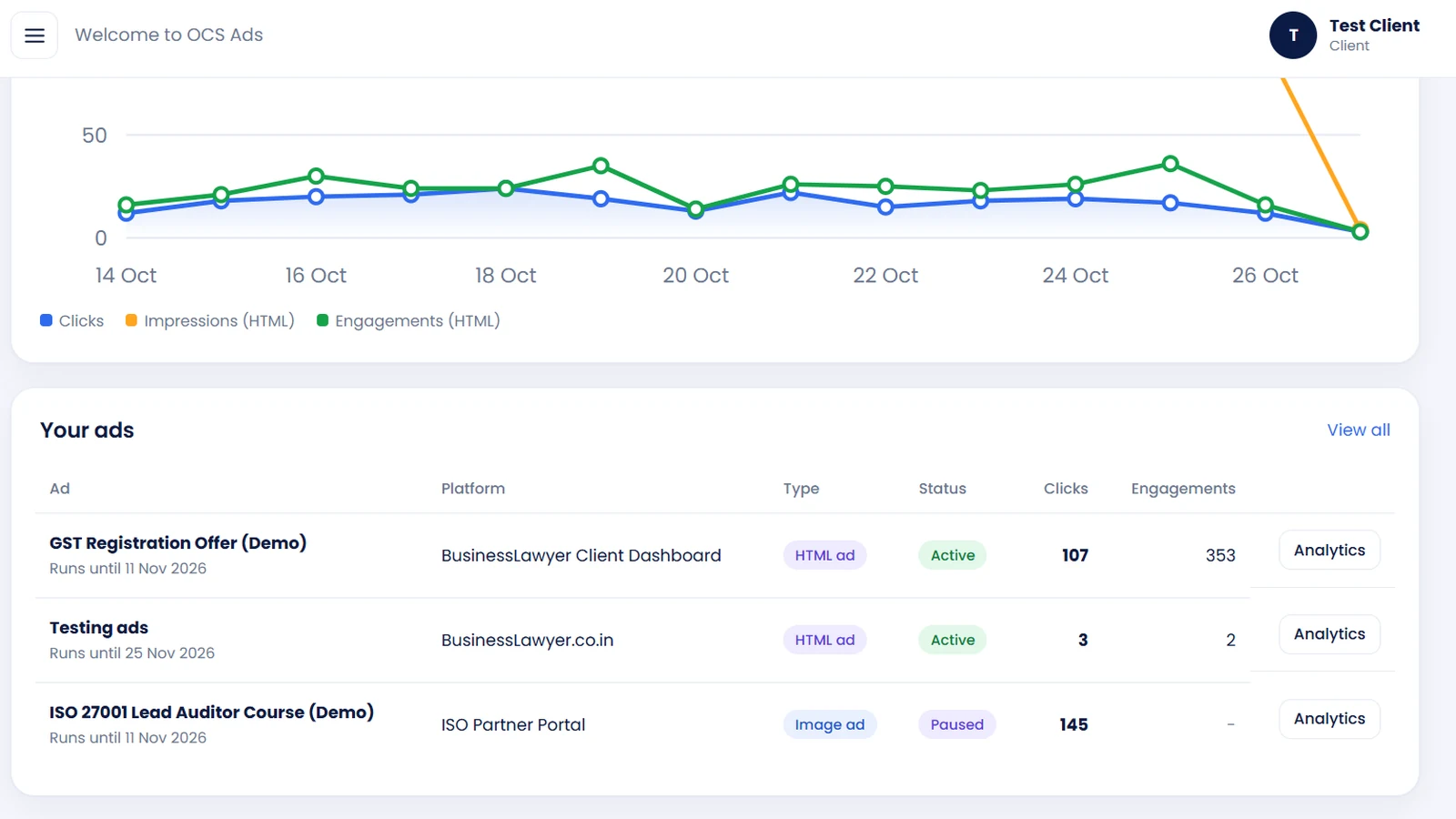
How many times visitors clicked through to your landing page, plus unique visitors.
How many times your ad was seen, so you know your real reach.
Interactions with your HTML ad, shown as a share of impressions.
Clicks divided by impressions, the quickest way to compare ads.
Clicks, impressions and engagement on your ads
Illustrative data
Examples from the Ads Manager rate card. The final price for every ad space is shown when you select it.
Dashboard banner above Latest Offers
Same space, with engagement tracking
Home page CTA block, dashboard top banner
Choose a space and upload your banner.
The Ads Expert team reviews the creative.
Your payment is confirmed by our team.
We place the ad and activate it.
Analytics appear in your dashboard.
Can't find what you need? Contact our team.
OCS Ads Manager is a self-serve platform for placing ads on OCS and BusinessLawyer portals. You choose an ad space, upload your banner, select a plan and pay. Our Ads Expert team then reviews and activates your ad.
Image ads (JPG, PNG, WebP or GIF, up to 5 MB) and HTML ads. HTML ads support buttons and layouts, and they report impressions and engagements in addition to clicks.
Each ad space lists its recommended size. For example, small dashboard banners use 1020 × 230 px and the home page CTA block uses 1480 × 480 px. Ads Manager shows a live preview before you continue.
Plans shown in Ads Manager run for 30 days. The start and end dates appear next to every ad in your dashboard.
The Ads Expert team approves your banner and verifies your payment. Once both are done, they place the ad in the chosen space and set it to active.
Clicks and unique visitors, impressions, engagements, click rate and a daily trend chart for every ad, plus a dashboard summary across all your ads.
Our team receives your details and gets in touch to help you choose the right placement and get started.
Tell us about your business and budget. We'll get back to you with the best placements and next steps.
Our team will contact you shortly to help you choose the best placement.